

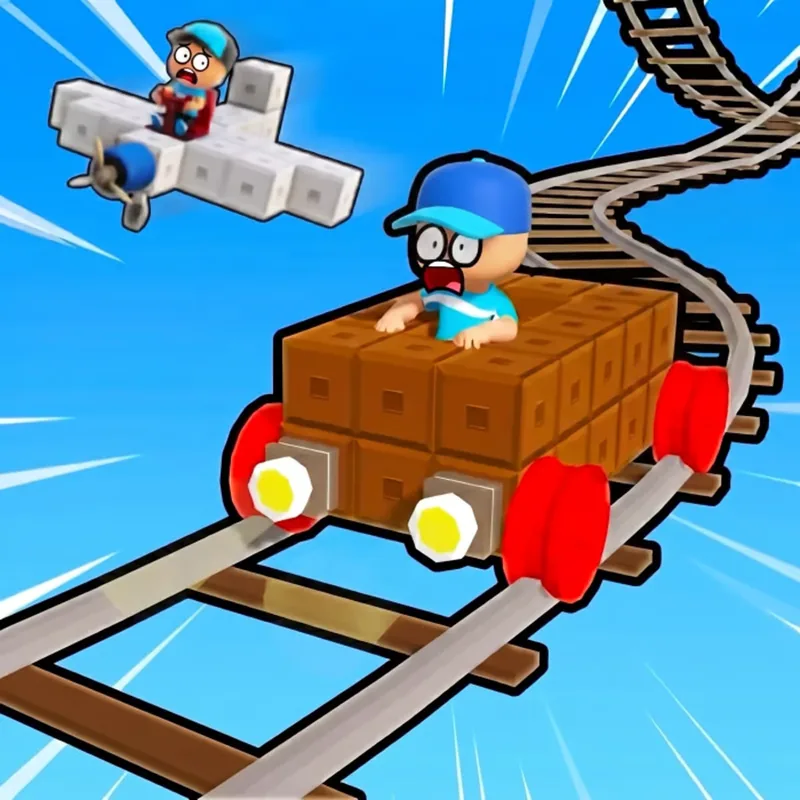


What happens in play
You build vehicles, including planes, cars and trains, and drive them along tracks with obstacles. As you earn money you unlock upgrades such as better engines, which let you cover longer distances.
W A S D or the arrow keys drive, and the mouse turns the camera. Extra keys cover the main actions: F starts, T opens the shop, Q shows tasks and G triggers emotes. Poki lists computer, phone and tablet.
“Open the shop with T after a run and look at engine upgrades first; they change the distance you can cover.”
What each key does
- W A S D / Arrows
- Drive
- Mouse
- Move the camera
- F
- Start
- T
- Shop
- Q
- Tasks
- G
- Emotes
Tips for the first runs
Open the shop with T after a run and look at engine upgrades first; they change the distance you can cover.
Use the camera to look ahead at obstacles, not only at your vehicle.
Check the tasks with Q to see what the game wants you to do next.
Try each vehicle type once to see how it handles.


The kind of player it fits
Players who want building and racing in one game, with upgrades to work towards.
Where it can frustrate
- Poki does not state an age suitability for it.
- Poki is an ad-supported platform, so expect advertising around the game on poki.com.
- With six action keys and a shop it takes a few minutes to learn.
Other cells to look at after this one
 FlyOrDie.ioAnother game where growth over time is the point.
 Poor BunnyA simpler option if the shop and tasks feel like too much.
Questions about Build League
Is Build League free?
Yes. Poki lists it as a free browser game.
What can I build?
Poki mentions planes, cars and trains.
What does the T key do?
It opens the shop, according to Poki's control list.